This step will get you an installation with our Docker image.
Steps
Docker
You need to have Docker installed on your laptop or server.
You can check it by asking the version in your terminal
docker --version
If you don't have installed, go to the Docker installation page and choose your best installation option.
On Windows?
On Windows, we recommend to install Linux with WSL by following these instructions.
Why?
Because Php is still a Linux and C technology that is really slow on Windows. This is architectural as explained on this issue
Create a data directory
- Create a directory to store the DokuWiki Data
mkdir -p ~/site-combo-starter
- And go into it to change the current directory
cd site-combo-starter
Start DokuWiki in Docker
Start a DokuWiki Docker Instance with the following command.
docker run \
  --name site-combo-starter \
  --rm \
  -p 8080:80 \
  --user 1000:1000 \
  -e DOKU_DOCKER_ACL_POLICY='public' \
  -e DOKU_DOCKER_ADMIN_NAME='admin' \
  -e DOKU_DOCKER_ADMIN_PASSWORD='welcome' \
  -v $PWD:/var/www/html \
  ghcr.io/combostrap/dokuwiki:php8.3-latest
where:
- DOKU_DOCKER_ACL_POLICY='public' will configure a wiki that can only be seen by the public. You need to login to modify it.
- DOKU_DOCKER_ADMIN_NAME='admin' create a user named admin with the admin permission.
- DOKU_DOCKER_ADMIN_PASSWORD='welcome' is the password of the admin user
- -v $PWD:/var/www/html mount your current directory PWD into the image at the HTML server root /var/www/html
- –user 1000:1000 will create file as if it were you creating them. The user 1000 is the UID of your Desktop user (in Windows WSL at least)
Check that the instance has started
The command above will:
- start php,
- install DokuWiki,
- install the starter site
- and is ready when you see this lines:
INFO success: caddy entered RUNNING state, process has stayed up for > than 1 seconds (startsecs)
INFO success: php_error_log entered RUNNING state, process has stayed up for > than 1 seconds (startsecs)
INFO success: php_fpm entered RUNNING state, process has stayed up for > than 1 seconds (startsecs)
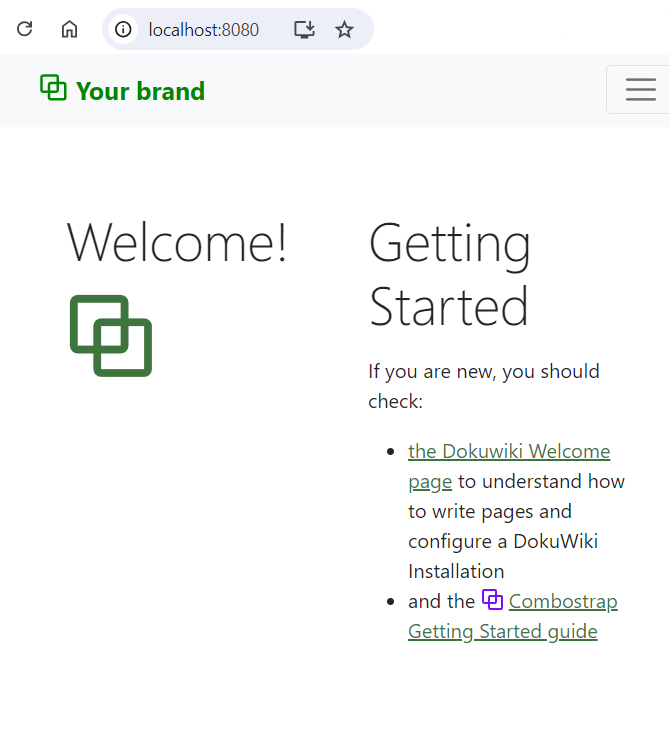
- You can then access DokuWiki at http://localhost:8080
If you want to stop the instance:
- you can press Control+C with your keyboard in the current terminal
- Or you can open another terminal and stop it with the following command
docker stop site-combo-starter
Login
Go to the login page: http://localhost:8080/?do=login
And enter the credentials:
- user: admin
- password: welcome
Next Step
In the next step, you will learn to install a favicon